For mithai and namkeen shops
Gift box orders by pickup day, corporate enquiries and festival posters for mithai and namkeen shops.
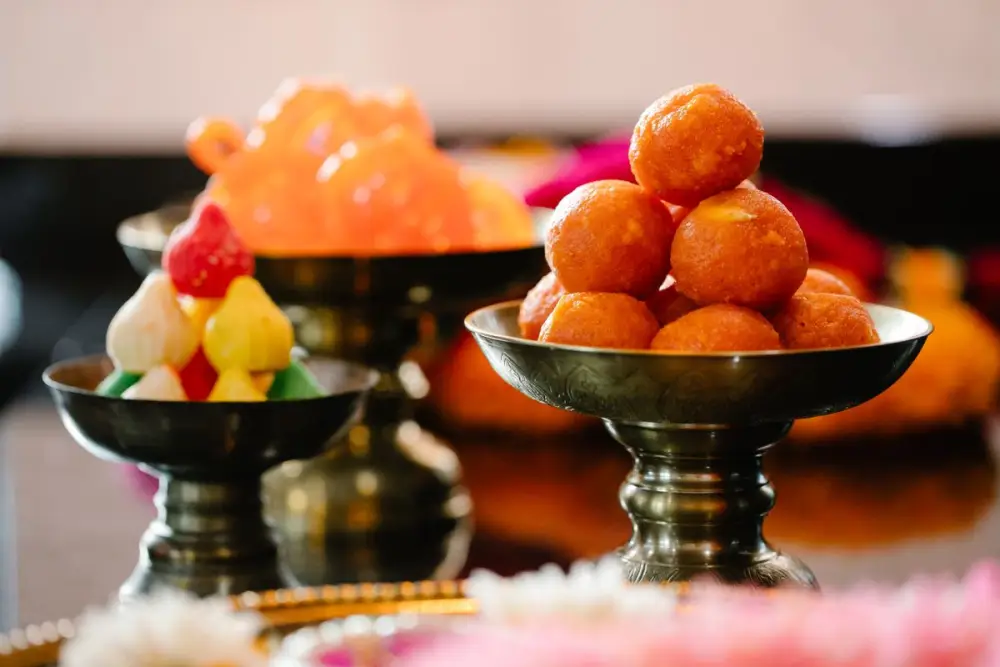
Sound familiar?
Dhanteras week. The counter is three rows deep, the kaju katli tray is empty by noon, and the phone will not stop. "Kaju katli aaj kya rate hai?" "1 kg mix mithai ka box kitne ka?" "Office ke liye 150 boxes chahiye, logo wala sleeve ho jayega?" Orders go on chits pinned behind the counter. A big corporate enquiry sits unread in the owner's personal WhatsApp, under a pile of Diwali forwards.
Every festival brings its own rush. Rakhi boxes in August, modak for Ganesh Chaturthi, gajak and rewri for Lohri, til laddoo for Sankranti, gujiya before Holi. Between festivals, the shop goes quiet and regulars forget to drop by.
Your son handles Instagram when he has time. In Diwali week, nobody has time.
What changes
GrowthDwar gives your shop a website with your rates, order booking by pickup day, the official WhatsApp Business Platform from Meta with a shared inbox, and poster designs. One dashboard, in English or Hindi.
1 of 5
A shop window that works after closing time
You answer simple questions: shop name, type of business, logo, photos, sweets and namkeen with prices and a photo for each, a short "about us", opening hours, address and Google Maps location. The website is written from those answers, in one of 8 designs.
A few tips:
- Price by the kilo: "Kaju katli, ₹1,100 per kg", "Ratlami sev, ₹320 per kg".
- List each gift box as its own item, with size and price: "Diwali gift box, 1 kg assorted, ₹950".
- Publish in Hindi if your customers prefer it.
- Before each festival, update prices and festive items. You can change any word or photo.
Visitors see an "Open now" status, a map with directions and a big WhatsApp button. Update your opening hours if you stay open late in festival week. Use the free yourname.growthdwar.com address or connect your own domain.
2 of 5
Gift box and festival orders by pickup day
Choose the day-only booking mode. The customer picks the box or sweet and the pickup day. The order is saved in your dashboard with name, phone, item and day. In one tap, the customer can send it to your WhatsApp to confirm quantities, and they get an "add to calendar" link so they remember pickup day.
Tip: in the two weeks before Diwali, share your booking link on WhatsApp status every day. When orders come with a pickup day, you know what to pack each morning.
3 of 5
Corporate orders, kept apart from the rush
Corporate orders are big, and they arrive in the busiest week. Keep them separate:
- A keyword rule hands any message with "corporate", "bulk", "office" or "company" to a person, so the owner can assign it to whoever handles corporate orders.
- WhatsApp Flows, simple forms inside WhatsApp, collect the company name, number of boxes, budget per box and date in one go.
- Tag each company "corporate-2026". Each contact profile keeps the chat history, so next Diwali you can see exactly what they ordered.
- Private notes stay inside your team: "GST invoice needed", "logo sleeve approved".
4 of 5
The festival rush without missed messages
Everyone replies from one business number in a shared inbox. Put counter staff in a team with round robin assignment, so chats are shared out evenly. Set a response-time target for festival week, with escalation to the owner when a chat waits too long.
Type "/" and a shortcut to send a saved reply: /rates for today's prices, /giftbox for box sizes, /upi for payment details, /address for directions and parking.
Let the chatbot take the first message:
- A greeting with quick-reply buttons: Today's rates, Gift boxes, Bulk order.
- Keyword rules: "rate" or "price" gets your rate list. "Gift" gets your box options.
- Optional AI replies that answer using information you give it.
- Business hours with an out-of-hours message.
Customers can also call your number on WhatsApp. Your team answers in the browser, a voice menu sorts calls ("press 1 for gift boxes, press 2 for bulk orders"), and calls can be transferred to the owner.
5 of 5
Customers back for every festival
Tag customers as you chat: "diwali-regular", "rakhi-boxes", "namkeen". A week before each festival, send a campaign to the right tag, now or scheduled, and see delivered and read counts. These go only to customers who agreed to hear from you. If they have not messaged in the last 24 hours, the message must use a format approved by Meta. WhatsApp's message charges are billed by Meta.
Poster designs cover Diwali, Dhanteras, Raksha Bandhan, Holi, Ganesh Chaturthi, Navratri, Lohri, Makar Sankranti, Pongal, Onam, Eid, Christmas and New Year, plus offers and new products. Each comes in post, square and story sizes, with your logo, name and phone added automatically. Make a festival calendar for your city and plan each poster two weeks ahead.
Copy, change, send
These are examples. Change the names, sweets and prices to match your shop.
- Greeting with buttons
- Saved reply for /giftbox
- Raksha Bandhan offer
- Corporate order confirmation
MSMadhuram Sweets & NamkeenBusiness account
Greeting with buttons
Namaste! Welcome to Madhuram Sweets & Namkeen, Vijay Nagar. How can we help you today?
Today's ratesGift boxesBulk order
Saved reply for /giftbox
Our Diwali gift boxes: 500 g assorted ₹500 · 1 kg assorted ₹950 · 1 kg dry fruit mithai ₹1,600 · Namkeen hamper ₹750. Book your pickup day here: madhuramsweets.growthdwar.com
Raksha Bandhan offerApproved message, only for customers who opted in
Namaste Sunita ji, Rakhi is next week! Our Rakhi gift boxes with kaju katli and besan laddoo start at ₹450. Book your pickup day now and skip the queue. Reply RAKHI for the list.
Corporate order confirmation
Thank you, Mr. Jain. Confirming 150 boxes of 500 g assorted mithai at ₹480 each, with your logo sleeve, for pickup on Thursday at 11 a.m. GST invoice will be shared on WhatsApp.
A day in the life
Take an example shop, Madhuram Sweets & Namkeen in Vijay Nagar, Indore, in Diwali week. It is made up, here only to show the flow.
-
At 8 a.m., Mr. Agrawal, the owner, opens the dashboard. Today's gift box pickups are listed with names, phones and items. He tells the kitchen how many 1 kg boxes to pack.
-
At 11, two staff members answer WhatsApp chats, shared out by round robin, with /rates and /giftbox.
-
At 1 p.m., an HR manager writes "corporate order, 200 boxes". The keyword hands it to a person, and Mr. Agrawal takes it. He gets the box count, budget and date, then leaves a note: "logo sleeve, invoice in company name".
-
At 4, a customer calls on WhatsApp. The voice menu sends her to gift boxes, and the counter takes her order.
-
At 8 p.m., his son picks a Diwali greeting design, changes the words and posts it on WhatsApp status and Instagram.
-
At 11 p.m., the shop closes and the out-of-hours message takes over.
Your afternoon plan
Your mithai already has a name in the neighbourhood. GrowthDwar helps that name travel further, take orders in the busiest week and come back every festival. Create your account and get your sweet shop up and running this afternoon.
14-day free trial · No card needed
Create your account and connect the shop's WhatsApp number through Meta's own sign-up window.
Add your sweets, namkeen and gift boxes with price per kg and real photos.
Choose booking by day, and set festival opening hours.
Create saved replies: /rates, /giftbox, /upi and /address.
Set keyword rules for "corporate" and "bulk", and a simple enquiry form for corporate orders.
Put counter staff in a team with round robin assignment.
Pick a design, choose English or Hindi, and publish.
Questions
Questions from sweet shops
Something else on your mind? Message us on Instagram at @growth_dwar.
Can customers book gift boxes for a pickup day before Diwali?
Yes. Choose the day-only booking mode and list each gift box as a service. The customer picks the box and the pickup day, the order is saved in your dashboard, and they can send it to your WhatsApp in one tap.
How do I handle corporate and bulk orders?
Set a keyword rule so messages with words like "corporate", "bulk" or "office" are handed to a person, then assign those chats to you or your corporate desk. You can also use a simple enquiry form inside WhatsApp to collect the company name, number of boxes, budget and date.
Can my counter staff answer WhatsApp during the festival rush?
Yes. Everyone replies from one business number in a shared inbox, and chats can be assigned automatically by round robin. Saved replies let staff send rates, gift box details and payment information with a shortcut.
Can I send festival offers to all my regular customers?
You can send campaigns to customers who agreed to hear from you. If they have not messaged in the last 24 hours, the message must use a format approved by Meta. WhatsApp's message charges are billed by Meta.
Can I try GrowthDwar before paying?
Yes. Every account starts with a 14-day free trial and no card is needed. You can set up your website, connect WhatsApp and send your first messages before choosing a plan.
Ready to grow your sweet shop?
Website, bookings, WhatsApp and posters in one place. Start your 14-day free trial, no card needed.
Keep reading
-
 Salons and beauty parloursSlot booking, quick WhatsApp replies and festive offers for salons, parlours and bridal makeup artists.Read the playbook
-
 Clinics and doctorsOnline appointment slots, quick WhatsApp answers and a shared inbox for clinics, dentists and physios.Read the playbook
-
 Restaurants and cafésMenu website, table booking with guest count and WhatsApp takeaway orders for restaurants and cafés.Read the playbook
-
 Festival Marketing Calendar for Indian BusinessesMonth-by-month festivals, days and seasons, with practical offer and post ideas for local shops.Read the guide