Guide · Google reviews
When to ask, what to send, how to reply, and the review mistakes that break Google's rules.
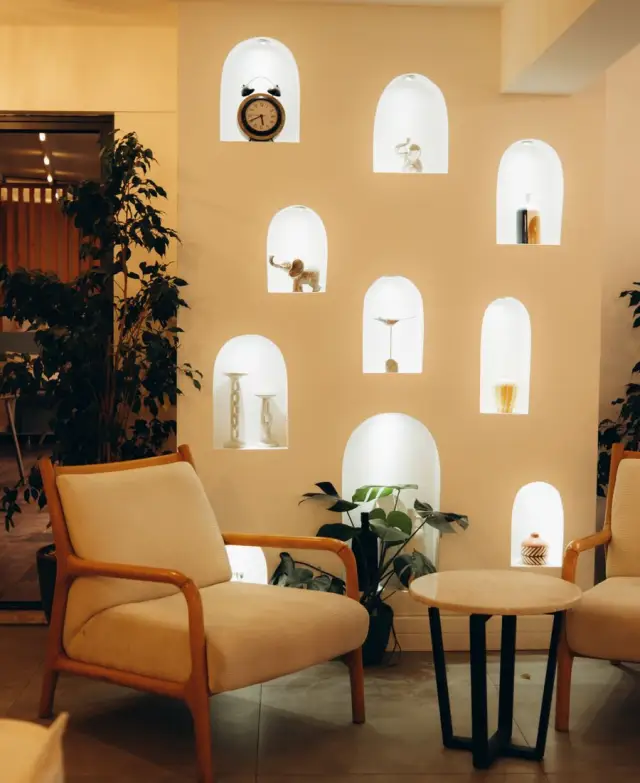
Before a new customer walks into your cafe, they have probably looked you up on Google Maps. They see your star rating, how many reviews you have and the last few things people said. A cafe with a handful of old reviews looks quieter than it is. A cafe with recent reviews, and the owner's replies under them, looks open and cared for.
Most happy customers will leave a review if you ask at the right moment and make it easy. Most never do, simply because nobody asked. This guide covers when to ask, what to send, how to reply, and what to avoid so you stay within Google's rules.
First, set up your profile and your link
Reviews live on your Google Business Profile, the listing that shows up on Google Search and Maps. If you have not claimed yours, do that first. Then check your name, address, phone number, hours and photos. Keep your hours the same as on your website and your WhatsApp profile.
Next, get your review link. While signed in, open your Business Profile on Google Search or Maps and look for an option such as "Ask for reviews" or "Get more reviews". It gives you a short link that opens the review box directly. Google renames these buttons now and then, so if you cannot find it, search Google's Business Profile help for "review link".
Save the link somewhere you can copy it in seconds. You will use it everywhere.
Ask at the right moment
The best time to ask is when the customer has just told you they are happy. A smile at the counter, a "food was too good", a thank-you message. The feeling is fresh, and saying yes feels natural.
| Business | A good moment to ask |
|---|---|
| Cafe or restaurant | When they compliment the food while paying |
| Salon or spa | When the client sees the result in the mirror and smiles |
| Bakery or sweet shop | When a customer messages to say the cake was a hit |
| Boutique or tailor | At the final trial, when the outfit fits well |
| Gym or yoga studio | When a member mentions they are feeling the difference |
| Coaching centre | When a parent thanks you after a good meeting |
| Photographer | The day you deliver the photos |
| Clinic | After a good follow-up visit, gently, and never during treatment |
A few habits make asking easier:
- Ask in person first. Then send the link on WhatsApp so they do not have to search.
- Let the person who served them ask. Customers often find it easier to say yes to the barista who made their coffee.
- Ask everyone the same way. Do not pick only the customers you think will be happy. More on this below.
- Ask once. One gentle reminder is fine. After that, let it go.
What to say at the counter:
"Thank you for coming in. If you have a minute later, would you share your experience on Google? It really helps a small cafe like ours. I will send you the link on WhatsApp."
Make it one tap
Every extra step loses people. Searching for your shop on Maps, scrolling to reviews and finding the button is too much for most customers. A direct link removes all of that.
Put your link in four places:
- On your website. On a GrowthDwar website, add your Google reviews link with your other details, so visitors see your reviews and can add their own.
- In a saved reply. In GrowthDwar, create a saved reply with the shortcut /review. Anyone on your team types "/review" and the full message with the link goes out.
- On paper. Turn the link into a QR code and print it on table tents, bills or a small card at the counter.
- In your follow-up message. See the examples below.
One thing to know: posting a review needs a Google account. Many Android phones are already signed in, but some customers, often older ones, may not be. If someone finds it difficult, thank them anyway and let it go.
Follow-up messages you can copy
A note on WhatsApp timing. If the customer messaged you in the last 24 hours, to book, to ask a question or to say thanks, you can reply with your review link normally. If not, on the WhatsApp Business Platform the follow-up must use a message format approved by Meta, and it can go only to customers who agreed to hear from you. WhatsApp's message charges are billed by Meta.
These are examples. Brew & Bun in Indiranagar is a made-up cafe, here only to show the wording. Change the names and details to match your business.
Example: saved reply for /review, sent the same day
Thank you for coming to Brew & Bun today, Karan. If you have a minute, would you share your experience on Google? Honest reviews help people in Indiranagar find a good cafe. Here is the link: [your review link]
Example: next-day follow-up (approved message, only for customers who opted in)
Hi Sneha, thank you for celebrating your birthday at Brew & Bun yesterday. We hope everyone enjoyed it. Would you share your experience on Google? It takes a minute: [your review link]
Example: in Hinglish
Namaste Sharma ji, kal ke order ke liye bahut shukriya. Agar 2 minute ho, toh Google par apna experience zaroor likhiye: [your review link]. Aapka review doosre logon ki bahut madad karta hai.
Example: one gentle reminder, a few days later
Hi Sneha, just a gentle reminder in case our last message got buried. Here is the review link if you would like to share your experience: [your review link]. No problem at all if not. Thank you again.
In GrowthDwar, tag customers as you chat, for example "visited this week", and send the approved follow-up only to that tag and only to people who opted in.
Reply to every review
Replies are public. Future customers read them, and they show that a real person runs the place and listens. Try to reply to every review within a few days.
Good reviews
- Thank them by name.
- Mention something specific from their review.
- Keep it short, and vary your words. Ten copies of "Thanks for the review" look automatic.
- Invite them back without a hard sell.
Thank you, Ananya. So glad the cold brew and the hazelnut waffle made your Sunday. The window seat is waiting for your next visit.
Bad reviews
A bad review stings. Wait an hour before you reply, and do not reply angry.
- Thank them for telling you, and apologise for their experience.
- Do not argue the details in public.
- Never share private details, such as what they ordered, their phone number or when they visited. A clinic should never confirm in a reply that someone is a patient.
- Give them a way to talk to you privately.
- Fix the real problem. If the same complaint keeps coming up, it is telling you something.
Hi Rohit, thank you for telling us, and we are sorry your coffee arrived cold and the wait was long on Saturday. That is not how we want anyone's morning to go. We have added an extra person at the counter on weekend mornings. Please message us on WhatsApp at 98XXX XXXXX so we can make it right.
If you solve the problem, the customer may choose to update their review. That is their decision. Never offer anything in return for changing or deleting a review.
Mixed reviews
Thank them for the good part, answer the concern simply and say what you are doing about it. Readers notice how you handle fair criticism.
Reviews that break the rules
If a review is fake, offensive, from a competitor or about a different business, you can report it from your Business Profile. Google checks it against its policies and decides. A review cannot be removed just because it is negative or you disagree with it, so a calm reply is still worth writing.
What not to do
These break Google's rules. Google can remove reviews that break its policies and can take action against a Business Profile.
- No rewards for reviews. No discounts, gifts, cashback, lucky draws or "dessert on us" in return for a review, even if you only ask for an honest one. "10% off for a 5-star review" is exactly what the rules forbid.
- No fake reviews. Do not write reviews yourself, ask staff, family or friends to post as customers, buy reviews from an agency or swap reviews with another business.
- No review gating. Do not send happy customers to Google and unhappy ones to a private form. Do not write "review us only if you loved it". Ask everyone the same way, and let them say what they want.
- No reviews of competitors. Do not post reviews, good or bad, on businesses you compete with.
Also avoid pressure. Do not ask a customer to write the review in front of you, and do not keep reminding them. A review given under pressure is not worth much, to you or to the next customer reading it.
A simple weekly routine
- Every day: ask happy customers in person, then send /review to the ones you are chatting with.
- Once a week: reply to every new review. Send the approved follow-up to customers tagged "visited this week" who opted in.
- Once a month: read your reviews together. Fix what keeps coming up, and thank the staff members customers mention by name.
Reviews are your customers speaking for you, in their own words. GrowthDwar helps you make asking easy, with your Google reviews link on your website, a saved reply your whole team can send, and polite follow-ups to customers who opted in. Start with the 14-day free trial, no card needed, and send your first /review today.
Questions
How do I get my Google review link?
Open your Google Business Profile while signed in, on Google Search or Google Maps, and look for an option like "Ask for reviews" or "Get more reviews". It gives you a short link that opens the review box for your business. Google renames these buttons from time to time, so check Google's Business Profile help if you cannot find it.
Can I give customers a discount for leaving a Google review?
No. Google's rules do not allow rewards of any kind in exchange for reviews, including discounts, gifts or cashback. Ask politely and let customers decide.
Should I reply to negative Google reviews?
Yes, calmly and briefly. Thank the person, apologise for their experience, offer a way to talk privately and fix the real problem. Never share private details about the customer in your reply.
Can I remove a bad Google review?
You cannot remove a review just because it is negative. If a review breaks Google's policies, for example it is fake, offensive or about a different business, you can report it from your Business Profile and Google decides. A calm public reply helps in the meantime.
How do I ask for Google reviews on WhatsApp?
Save a short message with your review link as a saved reply, and send it the same day to customers you are already chatting with. For customers who have not messaged you in the last 24 hours, the follow-up must use a message format approved by Meta and go only to customers who agreed to hear from you.
Can I try GrowthDwar before paying?
Yes. Every account starts with a 14-day free trial and no card is needed. You can set up your website, connect WhatsApp and send your first messages before choosing a plan.
Put this into practice this week
Website, bookings, WhatsApp and posters in one place. Start your 14-day free trial, no card needed.
Keep reading
-
 Festival Marketing Calendar for Indian BusinessesMonth-by-month festivals, days and seasons, with practical offer and post ideas for local shops.Read the guide
-
How to Send WhatsApp Offers Without Getting BlockedOpt-in, approved formats, timing and opt-out wording that keep your offers welcome and your number healthy.Read the guide
-
 WhatsApp Business App vs API: Which One Do You Need?An honest side-by-side of the WhatsApp Business app and the API, with a checklist for when to switch.Read the guide
-
 Salons and beauty parloursSlot booking, quick WhatsApp replies and festive offers for salons, parlours and bridal makeup artists.Read the playbook