For restaurants, cafés and cloud kitchens
Menu website, table booking with guest count and WhatsApp takeaway orders for restaurants and cafés.
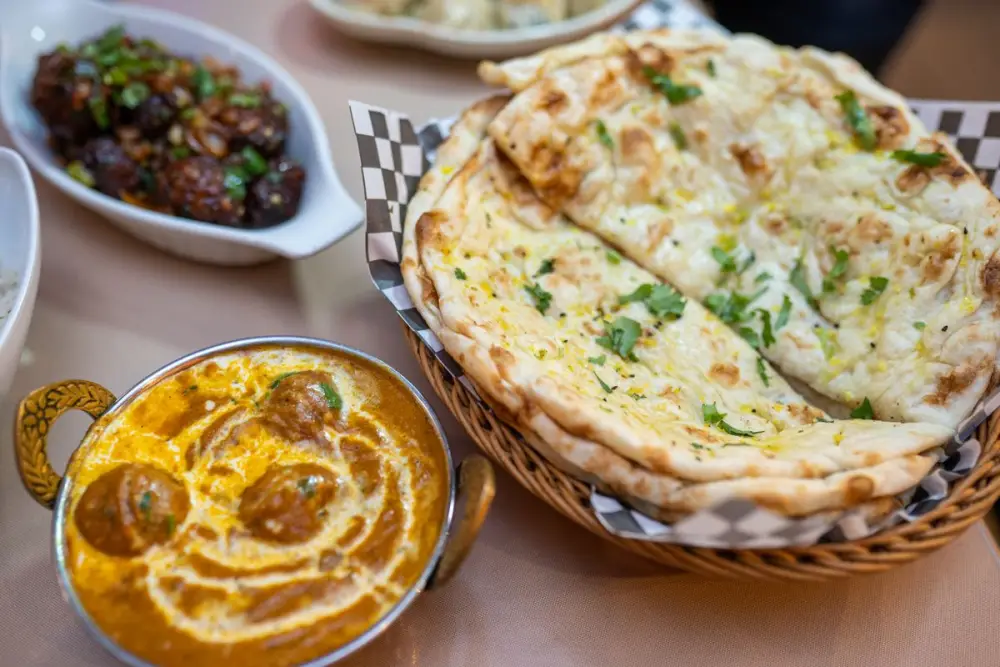
Sound familiar?
Friday, 8:45 p.m. Every table is full, the tandoor is roaring, and the manager is holding two phones. "Table for 6 at 9:30 milegi?" "Menu bhejo." "Paneer tikka spicy hai kya?" "2 butter naan, 1 dal makhani, 1 jeera rice, pickup 9:15." The order goes on a paper chit. One chit slides under the billing counter and is found at closing time.
The menu customers keep forwarding is a blurry PDF with last year's prices. On Sunday, a family of eight walks in for lunch and finds no table, because the booking was promised on a call nobody wrote down.
If you run a cloud kitchen, there is no counter at all. WhatsApp is your shop, and every message left unanswered is a hungry customer ordering somewhere else.
What changes
GrowthDwar gives you a website built around your menu, table bookings, the official WhatsApp Business Platform from Meta with a shared inbox, and poster designs. One dashboard, in English or Hindi.
1 of 5
A website that is your menu
You answer simple questions: restaurant name, type of business, logo, photos, menu items with prices and a photo for each, a short "about us", opening hours, address and Google Maps location. The website is written from those answers, in one of 8 designs.
The menu is what people come to see, so make it work:
- Lead with your bestsellers and your best photos.
- Name dishes the way people order them: "Chicken Dum Biryani (half)", "Cold Coffee with Ice Cream".
- Put "Veg", "Jain" or "Eggless" in the name where it applies, so nobody has to ask.
- When a price changes, change it the same day. No reprinting.
Visitors see an "Open now" status, a map with directions and a big WhatsApp button. Link your Instagram and Google reviews. Use the free yourname.growthdwar.com address or connect your own domain.
2 of 5
Table bookings with guest count
Choose the time-slot mode and ask for the number of guests. The customer picks a day, a time slot from your opening hours and how many people are coming. The booking is saved in your dashboard with name, phone, day and time. The customer can send it to your WhatsApp in one tap and gets an "add to calendar" link.
Tip: add a separate service for "Birthday or party booking", so big groups stand out before they arrive.
Cloud kitchens and caterers can choose the day-only mode for party orders, or the simple message form for written enquiries.
3 of 5
Takeaway orders without the chit chaos
Customers browse the menu, tap the WhatsApp button and type their order. In the shared inbox, put your counter staff in a team with automatic assignment, so each new chat goes to the next person in the queue. Tag chats "takeaway" or "party order" so nothing gets mixed up.
Saved replies keep the rush moving. Type "/" and a shortcut: /menu for your website link, /upi for payment details, /ready for pickup time, /address for directions.
Let the chatbot handle the first message:
- A greeting with quick-reply buttons: Order takeaway, Book a table, See menu.
- Keyword rules: "menu" gets your menu link. "Party", "bulk" or "catering" hands the chat to a person, so the manager can take it.
- A menu in the visual flow builder, so customers can tap through Starters, Mains and Desserts.
- Optional AI replies that answer using information you give it, like parking or Jain options.
- Business hours, so a 1 a.m. message gets a polite "kitchen closed" reply with your opening time.
Set a response-time target for dinner hours, with escalation to the manager if a chat waits too long.
4 of 5
Calls without a busy line
Customers can call your number on WhatsApp, and your team answers in the browser. A voice menu sorts calls ("press 1 for takeaway, press 2 for table booking"), calls can be transferred to the manager, and call history is saved.
5 of 5
Full tables on slow days and festival nights
Tag regulars as you chat: "family", "office lunch", "weekend regular". Then send a campaign to a tag, now or scheduled, and see delivered and read counts. Only customers who agreed to hear from you can receive these, and if they have not messaged in the last 24 hours, the message must use a format approved by Meta. WhatsApp's message charges are billed by Meta. Ask at billing, "Weekend specials on WhatsApp?", and tag the ones who say yes.
Poster designs cover menus, offers, events like live music or Sunday brunch, hiring for cooks and waiters, and festivals: Navratri, Diwali, Eid, Christmas, New Year, Onam, Pongal. Your logo, name and phone are added automatically, in post, square and story sizes.
Copy, change, send
These are examples. Change the names, dishes and prices to match your menu.
- Greeting with buttons
- Saved reply for /ready
- Weekend special
- Table confirmation
ZCZaffran CornerBusiness account
Greeting with buttons
Hi! Welcome to Zaffran Corner, Banjara Hills. What would you like to do?
Order takeawayBook a tableSee menu
Saved reply for /ready
Thank you for your order! It will be ready for pickup in 25 minutes. Total ₹640. Pay by UPI at the counter or to zaffran@upi.
Weekend specialApproved message, only for customers who opted in
Hi Farhan, this Sunday at Zaffran: family biryani handi for 4 at ₹999, with mirchi ka salan and double ka meetha. Reply BOOK for a table or ORDER for takeaway.
Table confirmation
Thanks, Kavya. Your table for 6 is booked for Saturday at 8:30 p.m. We will hold it for 15 minutes. Running late? Just reply here.
A day in the life
Take an example restaurant, Zaffran Corner in Banjara Hills, Hyderabad. It is made up, here only to show the flow.
-
At 11 a.m., Arjun, the manager, opens the dashboard. Tonight's table bookings are there with names, times and guest counts. He joins two tables for a party of 10.
-
At 1 p.m., lunch orders arrive on WhatsApp. The queue hands each chat to the next person at the counter. They reply with /upi and /ready and tag each chat "takeaway".
-
At 5, a message says "birthday party for 25 on Saturday". The keyword "party" hands it to a person, and Arjun takes it, replies with options and leaves a private note: "wants cake cutting at 9".
-
At 7, Arjun picks a menu design, adds Sunday's biryani special and downloads the story size for WhatsApp status and Instagram. He schedules the approved weekend message for Saturday morning to customers tagged "family" who said yes.
-
At 9, the dinner rush brings WhatsApp calls. The voice menu sends takeaway calls to the counter and booking calls to Arjun.
-
At midnight, the kitchen closes and the out-of-hours message takes over.
Your afternoon plan
Your food already brings people back. GrowthDwar makes the menu easy to find, the table easy to book and the order easy to send. Create your account and get your restaurant up and running this afternoon.
14-day free trial · No card needed
Create your account and connect your restaurant's WhatsApp number through Meta's own sign-up window.
Add your top 20 dishes with prices and real photos. Mark veg, Jain and bestsellers in the names.
Set opening hours, turn on booking by time slot and ask for the number of guests.
Create saved replies: /menu, /upi, /ready and /address.
Set a greeting with three buttons, keyword rules for "menu" and "party", and your closing time.
Put counter staff in a team with automatic assignment, and set up a voice menu for calls.
Pick a design, add Instagram and Google reviews links, and publish.
Questions
Questions from restaurants and cafés
Something else on your mind? Message us on Instagram at @growth_dwar.
Can customers book a table with the number of guests?
Yes. Restaurants can ask for the number of guests, so the customer picks a day, a time slot and how many people are coming. The booking is saved in your dashboard, and the customer can send it to your WhatsApp in one tap.
Can we take takeaway orders on WhatsApp?
Yes. Customers see your menu with prices and photos on your website, tap the WhatsApp button and send their order. Your team replies from a shared inbox, and saved replies make payment details and pickup times quick to send.
Does this work for a cloud kitchen with no dining area?
Yes. Skip table booking and use your website as a menu with a big WhatsApp button. Choose the simple message form if you want party and bulk order enquiries in writing.
Can we send weekend specials to our regulars?
Yes, as campaigns to customers who agreed to hear from you. If they have not messaged in the last 24 hours, the message must use a format approved by Meta. WhatsApp's message charges are billed by Meta.
Can I try GrowthDwar before paying?
Yes. Every account starts with a 14-day free trial and no card is needed. You can set up your website, connect WhatsApp and send your first messages before choosing a plan.
Ready to grow your restaurant?
Website, bookings, WhatsApp and posters in one place. Start your 14-day free trial, no card needed.
Keep reading
-
 Salons and beauty parloursSlot booking, quick WhatsApp replies and festive offers for salons, parlours and bridal makeup artists.Read the playbook
-
 Clinics and doctorsOnline appointment slots, quick WhatsApp answers and a shared inbox for clinics, dentists and physios.Read the playbook
-
 Gyms and fitness studiosTrial and batch booking, quick WhatsApp replies and renewal reminders for gyms and yoga studios.Read the playbook
-
 Festival Marketing Calendar for Indian BusinessesMonth-by-month festivals, days and seasons, with practical offer and post ideas for local shops.Read the guide