For car and bike garages and service centres
Slot booking, pickup-ready messages and service-due reminders for car and bike garages and service centres.
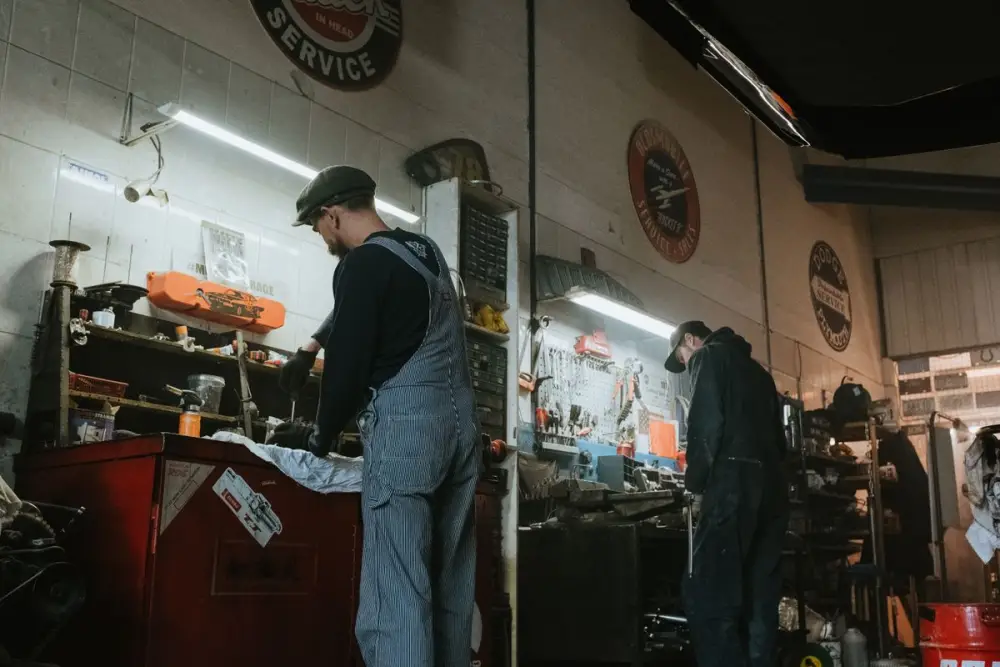
Sound familiar?
Monday, 9 a.m. Four bikes are already on stands, two cars wait for the ramp, and a scooter is parked across the gate. The phone rings over the compressor. "Bhaiya, Activa ki servicing aaj ho jayegi?" "Car ka AC thanda nahi kar raha, kab la sakta hoon?" And the one you hear all day: "Meri gaadi kab tak milegi?"
The customer who was promised 5 p.m. calls at 3, at 4 and at 4:45. Your mechanic needs a yes to replace the brake pads, and the customer is in a meeting. Later, at the counter, they remember agreeing to "check only".
Meanwhile, the service register holds years of names and numbers, every one of them due for another oil change. Nobody calls them.
What changes
GrowthDwar puts your website, your WhatsApp and your posters in one dashboard, in English or Hindi. No developer, no designer.
1 of 5
A garage website customers can find and follow
You answer simple questions: garage name, type of business, logo, photos, services with prices, a short "about us", opening hours, address and Google Maps location. The website is written from those answers, in one of 8 designs.
List services with a starting price and a photo: "Bike general service", "Car periodic service", "Wheel alignment and balancing", "Denting and painting (per panel)". In "about us", say which vehicles you work on, whether you offer pickup and drop, and that work starts only after approval.
Garages often sit in a lane behind the main road, so the map and directions matter. The site also shows an "Open now" status and a big WhatsApp button. Add your Google reviews link. Use the free yourname.growthdwar.com address or connect your own domain.
2 of 5
Service bookings by slot
Turn on booking by time slot. The customer picks a service, a day and a slot from your opening hours. The booking is saved in your dashboard with name, phone, service, day and time. The customer can send it to your WhatsApp in one tap and add it to their calendar.
Two tips:
- Add "Inspection: new noise or problem" as a service, so a customer with a vague complaint can still book.
- Keep your opening hours and weekly off accurate, because slots come from them.
3 of 5
Approvals and "ready" messages in one chat
When the customer sends their booking on WhatsApp, the chat is open from the start. If the mechanic finds worn brake pads, send a photo and the cost and ask for a YES. The approval sits in the chat history, not in someone's memory. Send the estimate or the final bill as a PDF in the same chat.
Saved replies keep the counter quick. Type "/" and a shortcut, like /rates, /ready, /address or /upi.
The pickup-ready message is a normal reply if the customer has messaged in the last 24 hours. A denting job that takes four days is different: the message must use a format approved by Meta and go only to a customer who opted in. A simple way to run it: tag vehicles finished today as "ready", send the approved pickup message as a campaign to that tag, and remove the tag once they collect.
4 of 5
Reminders when the next service is due
At billing, ask, "Shall we remind you on WhatsApp when the next service is due?" Tag the ones who say yes with the month it is due, like "due Jan" or "due Feb". At the start of the month, send a campaign to that tag, now or scheduled, and see how many were delivered and read. Customers from your old register who agreed to reminders can be imported by CSV.
Use the seasons too: a monsoon check for brakes and wipers, a wash and polish before Diwali. Every reminder follows the same rule: only customers who opted in, and an approved format if they have not messaged in 24 hours. WhatsApp's message charges are billed by Meta.
Posters cover Diwali and New Year greetings, plus offer and tips designs, with your logo, garage name and phone number added automatically.
5 of 5
One number for the counter, the floor and the owner
Everyone replies from one business number in a shared inbox. Assign bookings to the service advisor, send large estimates to the owner, and transfer chats as needed. Private notes hold the details: "Swift 2019, last service at 41,000 km, wants genuine parts only."
Let the chatbot sort the first message:
- A greeting with quick-reply buttons: Book a service, Vehicle status, Price list.
- Keyword rules: "rate" or "price" gets your rate card. "Ready", "status", "kab milegi" or "breakdown" goes to a person.
- Business hours, with an out-of-hours message.
On the Growth and Pro plans, customers can call your number on WhatsApp. A voice menu splits bikes and cars, and the advisor answers in the browser.
Copy, change, send
These are examples. Change the names, prices and timings to match your garage.
- Saved reply for /rates
- Approval request
- Ready for pickup
- Service-due reminder
KAKumar Auto WorksBusiness account
Saved reply for /rates
Bike general service from ₹650 · Car periodic service from ₹3,200 · Wheel alignment ₹600 · Parts and oil charged as used.
Book a slot: kumarauto.growthdwar.com
Approval request
Hi Arjun, the front brake pads of your Baleno are worn out (photo above). Replacing them costs ₹2,400 including labour. Reply YES to go ahead.
Ready for pickup
Hi Sneha, your Activa is ready. Total ₹1,150 for general service and chain adjustment. Open till 8 p.m. today.
Service-due reminderApproved message, only for customers who opted in
Hello Mr. Bhatia, your Creta's next service is due this month. Reply BOOK and we will share open slots.
A day in the life
Take an example garage, Kumar Auto Works in Gomti Nagar, Lucknow. It is made up, here only to show the flow.
-
At 8:30 a.m., Salim, the service advisor, opens the dashboard. Six slots were booked overnight from the website. Three customers also sent theirs to WhatsApp, so their chats are already open.
-
At 10, a mechanic finds a cracked side mirror on a booked car. Salim sends a photo and the cost, the customer replies YES, and work starts.
-
At 1 p.m., a customer calls the garage number on WhatsApp. The voice menu sends him to cars, and Salim tells him his Swift will be ready by 5.
-
At 4, Salim sends /ready to the customers who wrote this morning. A dented i20, in for four days, is tagged "ready" and gets the approved pickup message.
-
At 7, Vikas, the owner, opens Posters, picks a Diwali design, adds a line about wash and polish, and shares it on his WhatsApp status. He schedules the "due Nov" reminder for the first of the month, only to customers who said yes.
-
At 9 p.m., the shutter comes down and the out-of-hours message takes over.
Your afternoon plan
Your mechanics, your tools and your regulars are already here. GrowthDwar makes it easier for the next customer to book a slot, approve the work and come back when the next service is due. Start your 14-day free trial, no card needed, and get your garage up and running this afternoon.
14-day free trial · No card needed
Start your 14-day free trial (no card needed) and connect your garage's WhatsApp number through Meta's own sign-up window.
Add your services with a starting price and a photo each.
Set your opening hours and weekly off, then turn on booking by time slot.
Create saved replies: /rates, /ready, /address and /upi.
Set a greeting with three buttons and keyword rules for "price", "ready" and "breakdown".
Add your team with the right roles, and publish.
Print your website link on the job card and the service sticker.
Questions
Questions from CAr and bike garages
Something else on your mind? Message us on Instagram at @growth_dwar.
Can customers book a service slot online?
Yes. Turn on booking by time slot. The customer picks a service, a day and a slot from your opening hours, and the booking is saved in your dashboard with name, phone, service, day and time. They can send it to your WhatsApp in one tap and get an “add to calendar” link.
Can I tell customers on WhatsApp that their vehicle is ready?
Yes. If the customer has messaged you in the last 24 hours, just reply in the chat. For longer jobs, the message must use a format approved by Meta and go only to customers who agreed to hear from you.
Can I send service-due reminders?
Yes. Tag customers by the month their next service is due, then send a campaign to that tag, only to customers who opted in. WhatsApp's message charges are billed by Meta.
Can I get the customer's approval before replacing a part?
Send a photo of the worn part and the cost in the chat, and ask the customer to reply YES. The photo, the price and the reply stay in that customer's chat history, where your whole team can see them.
How do I start?
Every account starts with a 14-day free trial, no card needed. Connect your garage's WhatsApp number on the official WhatsApp Business Platform from Meta, add your services and timings, and publish your website the same afternoon.
Ready to grow your garage?
Website, bookings, WhatsApp and posters in one place. Start your 14-day free trial, no card needed.
Keep reading
-
 Salons and beauty parloursSlot booking, quick WhatsApp replies and festive offers for salons, parlours and bridal makeup artists.Read the playbook
-
 Clinics and doctorsOnline appointment slots, quick WhatsApp answers and a shared inbox for clinics, dentists and physios.Read the playbook
-
 Restaurants and cafésMenu website, table booking with guest count and WhatsApp takeaway orders for restaurants and cafés.Read the playbook
-
 Festival Marketing Calendar for Indian BusinessesMonth-by-month festivals, days and seasons, with practical offer and post ideas for local shops.Read the guide